Reach for Kling 4.0 when the face, the product or the camera move has to come from your own photos and clips.
How to use Kling 4.0 on Nsketch: reference image and video limits, a prompt pattern, a worked 8-second example and what each second costs.
What Kling 4.0 Is Good At
Kling 4.0 is Kuaishou's newest video model, built to follow reference images and videos closely over long clips. On Nsketch it renders 3 to 30 seconds at 720p or 1080p and generates sound with every clip.
Its strength is material you already have. Up to 10 reference images can carry a person's face or a product's design, and up to 5 reference videos can carry a camera move or a motion you want repeated on a new subject. Typical jobs: a character built from a few photos, a product moving through a real street from its catalog shots, or a camera move lifted from a clip you like.
It has gaps. Kling 4.0 takes no first or last frame and no audio references, and its lowest resolution is 720p, so even a draft costs 25 credits a second.
Kling 4.0 Settings and Limits on Nsketch
Check the file limits before you build a reference pack. Each image must be under 10 MB, and reference videos have both a per-file range and a combined cap.
| Setting | Kling 4.0 on Nsketch |
|---|---|
| Length | 3 to 30 seconds |
| Resolution | 720p or 1080p |
| Aspect ratio | 16:9, 9:16, 1:1 or 21:9, or matched to your reference |
| Audio | Generated with the video |
| Reference images | Up to 10, each under 10 MB |
| Reference videos | Up to 5, each 2 to 30 seconds, 30 seconds combined |
| First and last frame | Not supported |
| Audio references | Not supported |
How to Prompt Kling 4.0
Tell Kling what each reference is for. "The woman from the reference photos" or "the sneaker from the reference images" ties the subject to your uploads. "Recreate the camera move from the reference video" says the clip is there for motion, so its subject and setting stay out of the result.
Then brief the shot the way you would brief a camera operator: what the subject does, in order; where the camera sits and how it moves; what we hear. Kling 4.0 makes audio for every clip, so name the sounds instead of leaving the track to chance.
The same pattern works with no references at all, as the example below shows.
- Subject: who or what, tied to a reference if you uploaded one
- Action: two or three steps in order, each with a clear finish
- Camera: height, distance and one move, such as handheld tracking at shoulder height
- Sound: three or four specific sources, such as rain, chatter and sizzling woks
- Look: the lens or light notes that matter, such as shallow depth of field
Worked Example: A Night Market Run in the Rain
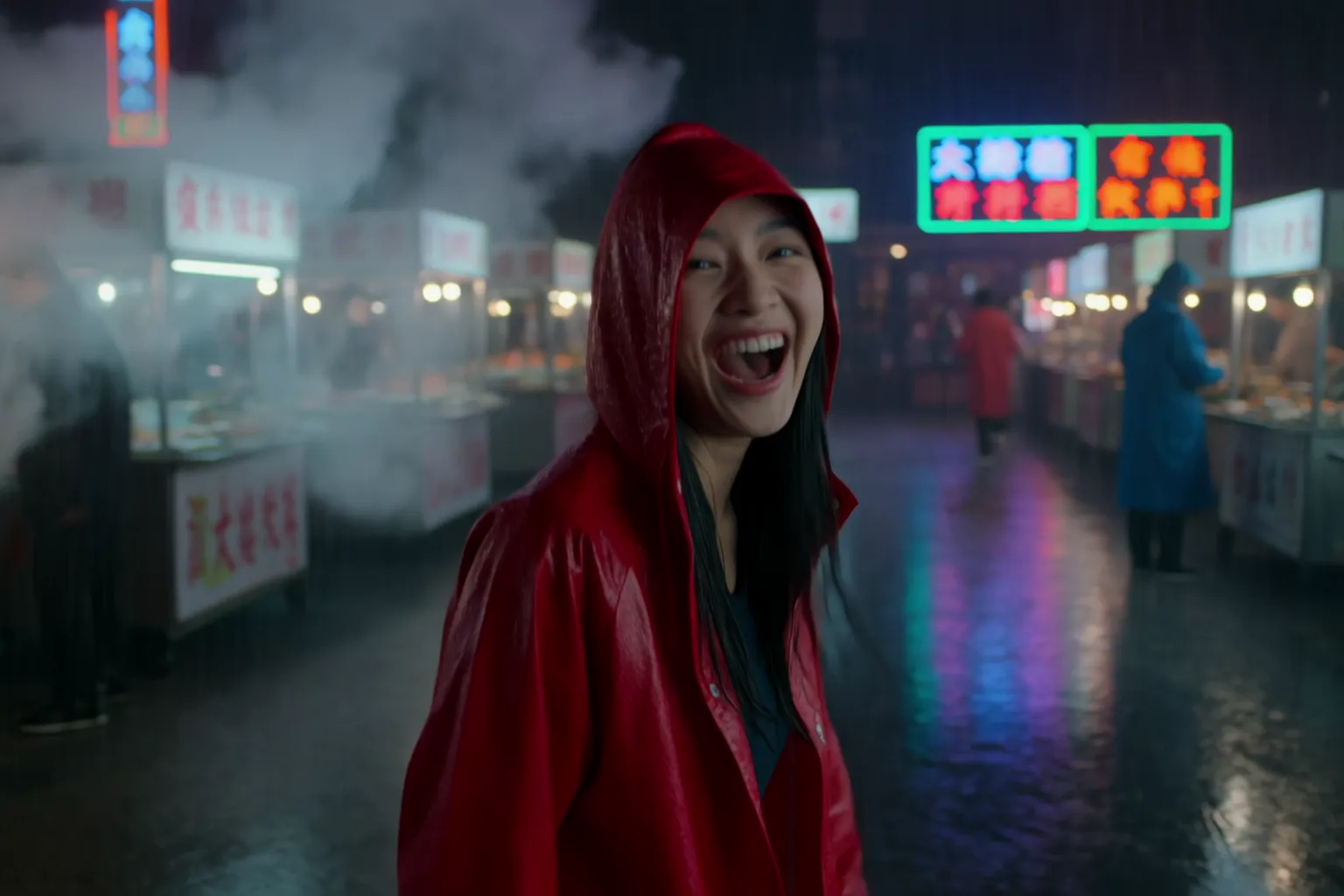
This clip used the prompt alone, with no references. The subject has one detail the model can keep checking, the red raincoat, and the place is full of moving texture: rain, steam, neon and food stalls. The camera gets a position and a behavior: handheld, beside her, at shoulder height.
The second sentence gives the 8 seconds a shape. She runs, then turns and laughs into the lens, so the clip has a beginning and an ending beat. Three named sounds follow, and the last line sets the look in five words.
Kling 4.0 · 8 seconds · 1080p · 16:9 · sound on · text only, no references
Prompt
A young woman in a red raincoat runs through a neon-lit night market in the rain, weaving between food stalls and steam. Handheld camera tracks beside her at shoulder height, then she turns and laughs into the lens. Wet reflections, sizzling woks, crowd chatter. Cinematic, shallow depth of field.
What Kling 4.0 Costs in Credits
Kling 4.0 bills per second: 25 credits at 720p and 37.5 at 1080p. The example above, 8 seconds at 1080p, costs 8 × 37.5 = 300 credits. At 720p the same clip costs 200, and the shortest run, 3 seconds at 720p, costs 75.
A full 30 seconds costs 750 credits at 720p and 1,125 at 1080p. Reference videos add to the cost, and the generator shows the total before you generate, so check it after you attach a clip.
When to Pick a Different Model
Pick Seedance 2.5 when the shot needs first and last frames, audio references or a bigger reference pack. It takes up to 30 images, 3 videos and 10 audio clips, also reaches 30 seconds, and adds 4:3 and 3:4 framing.
Pick Wan 3.0 for long clips on a smaller budget or for 480p drafts. It costs 4 credits a second at 480p and accepts audio references and first and last frames.
Pick Veo 3.1 when the clip is short and a character has to speak a line you wrote.
The Kling 4.0 model page lists the full specs and three prompts you can run as they are.
FAQ
Frequently asked questions
No. It takes reference images and videos but no first or last frame. Use Seedance 2.5 or Wan 3.0 when a shot must open or close on a set image.
No. A text prompt on its own works, and the example in this guide used none. References help when a person, product or camera move has to match your own material.
Each reference image must be under 10 MB. Export a smaller version of the photo and add it again.
Each one must run between 2 and 30 seconds, and all of them together can't pass 30 seconds. You can attach up to 5.
Three seconds at 720p, which costs 75 credits.