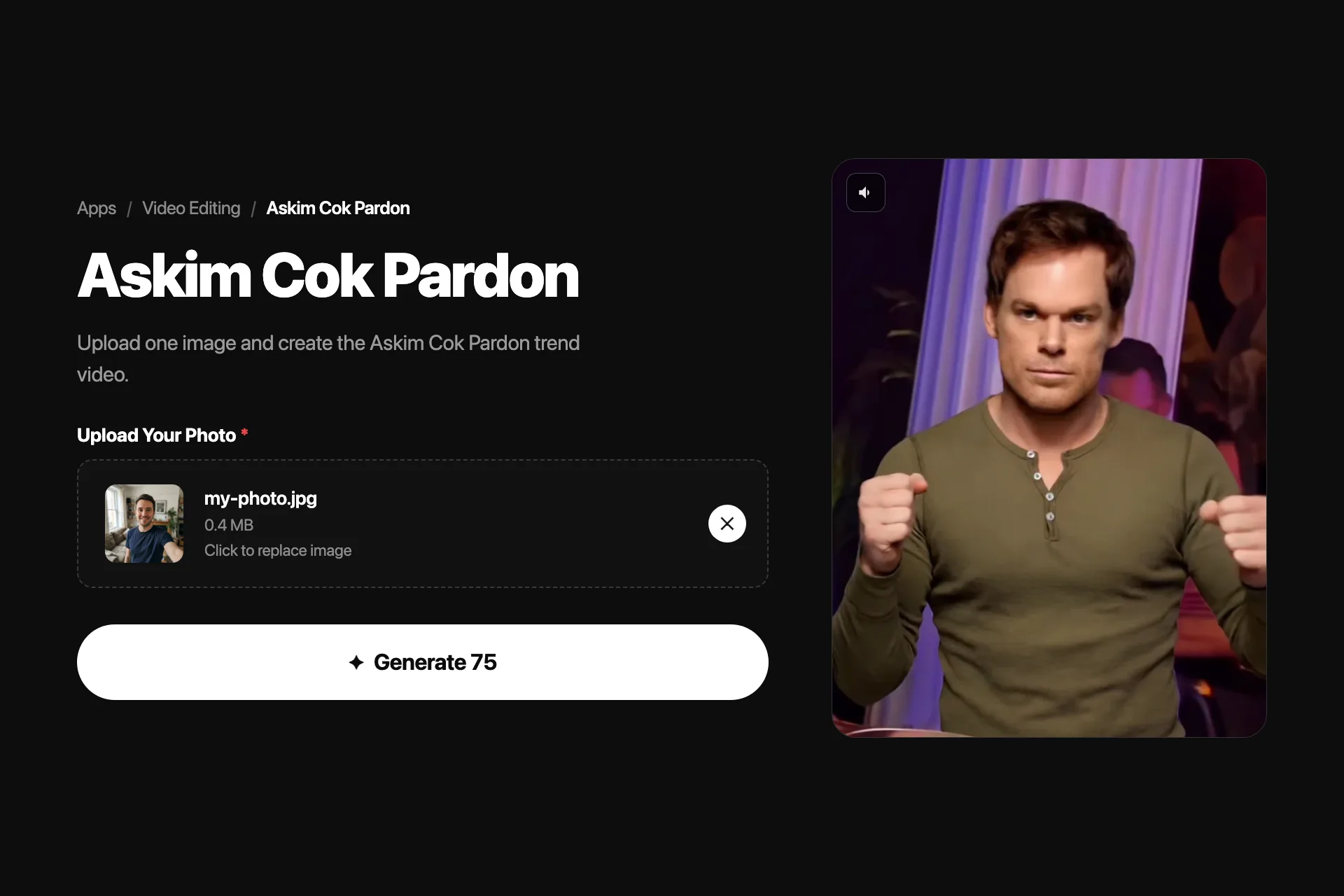
No choreography to learn: the whole meme is one relaxed sway, and the template already knows it.
Where the Aşkım Çok Pardon meme comes from, how to animate one photo into the sway, and how Nsketch compares with Pixverse, Pollo AI, and Viggle.
What the Aşkım Çok Pardon Trend Is
Aşkım çok pardon is Turkish for roughly "sorry, my love." The meme is built on the rap track COOOK PARDON by Lvbel C5 and AKDO, and on clips of Turkish actor Güven Demir doing a simple, hypnotic left-right sway to the beat. No footwork, no choreography, just the sway.
It spread across Turkish TikTok in late 2025 and moved into Instagram Reels and YouTube Shorts through 2026. The AI version animates a still photo into that exact sway: people run their own portraits, their pets, and cartoon characters through it, synced to the beat.
Make It in Nsketch From One Photo
The Nsketch Askım Çok Pardon template takes one upload. Add a clear front-facing photo and the template generates the sway video with the motion timed to the trend's rhythm. There is no prompt to write and no reference video to source.
- Use a sharp, front-facing photo with the full head and shoulders visible
- One subject per photo; the sway needs a single figure to lock onto
- Stylized images work: illustrated characters and pet portraits are common variants
Askım Çok Pardon template · Official Nsketch template preview
Prompt
Template input: one clear front-facing photo of a person, pet, or character. The template animates the subject into the trend's signature left-right sway with the motion timed to the beat. No text prompt is required.
Nsketch vs Pixverse vs Pollo AI vs Viggle
Several tools ship an effect for this trend, and they share the same basic shape: upload a portrait, get the sway back. The differences that matter are how the motion gets applied and what the free path exports.
Pixverse and Pollo AI both offer the trend as a named effect in their template libraries. Viggle approaches it differently: it is a motion-transfer tool, so you supply both your image and a motion reference video rather than picking a ready effect. As of August 2026, free exports on Pixverse, Pollo AI, and Viggle carry a watermark, with removal reserved for paid plans.
| Tool | How the motion is applied | What you supply |
|---|---|---|
| Nsketch | Built-in template synced to the beat | 1 photo |
| Pixverse | Named effect in the template library | 1 photo |
| Pollo AI | Named effect in the template library | 1 photo |
| Viggle | Motion transfer from a reference video | 1 photo + 1 motion reference video |
Photos That Sway Convincingly
The sway is subtle, so artifacts show quickly when the source photo fights the motion.
- Neutral standing or seated poses animate more cleanly than action shots
- Keep hands away from the face; overlapping features distort in motion
- Plain backgrounds keep attention on the sway itself
FAQ
Frequently asked questions
It is Turkish for roughly "sorry, my love." The phrase comes from the rap track COOOK PARDON by Lvbel C5 and AKDO that the trend is set to.
Clips of Turkish actor Güven Demir doing a simple left-right sway to the track became the meme's reference motion. The trend spread on Turkish TikTok in late 2025, then to Reels and Shorts through 2026.
No. The whole meme is one relaxed sway, and the template applies it for you. You upload a single front-facing photo and the motion and beat timing are handled.
Yes. Pet portraits and illustrated characters are common variants of the trend. Any clear image with a single subject and visible head and shoulders can carry the sway.
Nsketch, Pixverse, and Pollo AI ship it as a one-upload template, while Viggle can reproduce it through motion transfer if you also supply a reference video. As of August 2026, free exports on Pixverse, Pollo AI, and Viggle carry a watermark.